

1. Create one or more charts, assign them
a background image or color.
2. On a chart create a number of objects
i images, symbols or text.
3. Create a number of menu buttons with
or without submenus.
4. Connect menus, charts and objects into
events. An event can be:
a) jump from one chart to another
b) indication by a blinking object
c) audio clip
d) video clip
It can also be a combination of
a, b, c or d.
InfoMenu
has a lot of useful functio-
nality options such as:
+ Return to default chart after a time of
idling.
+ Up tol 5 languages for text and sound
with option to choose language specific
fonts.
+ Object inheritance - an new object can
be cloned from an existing object. The
same can be done with menu buttons.
+ Large submenus, useful together with
touch-sensitive monitors.
+ Transparent image handling in objects
and menu buttons.
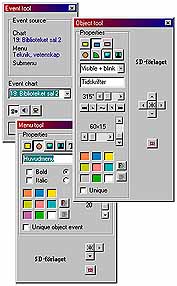 |
InfoMenu tools are powerful and easy to use. |
 |
 |